Amazon. com Help Contact Seller Support
How to Contact Amazon Seller Support by Phone and Email
As an Amazon seller, we all need to contact Amazon everyday for issues related to customers, orders, reviews, listing, etc.
Amazon has tons of support teams located all over the world. If we contact the wrong team, we may not get the desired support we need.
Share and bookmark this list now as it contains all contacts that every Amazon seller needs!

Find the Solution & Get Support Fast!
#1: How to remove review:
Get support > Contact us > Product and inventory > Product Review > FBA Issue
#2: How to remove feedback:
Get support > Contact us > Customer and orders > type the order ID and click the “next” > choose the “Customer Feedback Removal Request”
#3: FBA related issues:
Get support > Contact us > Fulfilled by Amazon > FBA Issue
#4: Inventory feed/template:
With Bach ID: Get support > Contact us > Products and inventory > Issue with listing products > Provide a Bach ID
Without Bach ID: Get support > Contact us > Products and inventory > Issue with listing products > I don’t have an ASIN or SKU > Next> Inventory file upload issues
#5: Fix/Merge/Split product page:
Get support > Contact us > Products and inventory > Product page issue > Fix a product page/Merge or split product page
#6: Ads related issues:
Get Support > Contact us > Sponsored Products
#7: Tax issues:
Get Support > Contact Us > Other Issues – Tax Questions
#8: B2B Issues:
Get support > Contact us > Amazon Business Selling > Amazon Business Selling Questions
#9: Amazon MWS API Issues:
Get support > Contact us > Marketplace Web Service (Amazon MWS) > Registration and access / API services
#10: Suggest to Amazon:
Get support > contact us > other issue > make a suggestion
#11: Report Listing Abuse:
Get support > contact us > other Issues > report a violation > Report listing abuse
#12: Report A Violation:
Get support > contact us > other Issues > report a violation > Report a violation
#12: Report Infringement:
#12: Open Amazon Business:
Seller Central > Settings > Account Info > Your Services (Manage) > Amazon Business
#13: Downgrade seller account:
Seller Central – Settings – Account Info – Your Service (click Manage) – Sell on Amazon [Downgrade]
#14: Update Email address:
Seller Central > Settings > Login Settings > change Email Address
#15: Update phone number:
Seller Central > Settings > Account Info > Business Information (click Business Address) > Primary Phone
#16: find pending orders:
Seller Central – Orders – Manage Orders – Advanced Search - Date: Date Range: select date and Order Status: Pending – Search
#16: check inventory age:
Seller central – Inventory – Manage Inventory – Inventory Dashboard – Inventory age
Category Ungate: How to request approval for restricted categories?
In Seller Central, click the inventory link and select Add a Product. Run a search for the item you wish to sell. In the search results, click the Listing limitations apply link across from the item. Click the Request Approval button to begin the application process.
To check the status of an application, return to the Add a Product tool and click the Selling application status link located toward the top of the page.
Be fully prepared before you Contact amazon for support
The FBA (Fulfillment by Amazon) department helpline is available 24 hours a day. Calling between 9:00 am to 4:00 pm Central Time will queue in quality representatives.
Spanish Seller Support
There are Spanish support services available for those who live in any Spanish-speaking country. The US representative will transfer you upon request or the moment they hear the language spoken.
Moreover, emails ending with .mx is the best way to get seller support help in Spanish.
India Seller Support
Https://services. amazon. in/ are for vendors who live in India to communicate with a representative who will reply within 24 hours. Contacting any of the emails ending in .in is the best way to get help.
Seller Support Phone NumberDial the toll-free telephone number 1-866-216-1072 for general USA support related to complaints, billing issues, or account activity by following the prompts. An Amazon’s sales representative is offered to US sellers, but there is no phone support options for those living in India.
Live Chat Option
Https://www. amazon. com/gp/help/contact-us/general-questions. html Offers Live Chat for all sellers, but you will need to login to your Amazon account to access this feature.
Be Prepared
Make sure to have all your questions written down for when you forget to ask something. We suggest you tell the rep your issue slowly and individually because cramming in questions might confuse them
Info Checklist:
There are several pieces of information the call in representatives will ask for including:
- Seller name or Business name Address on file Customer order number Last four digits of bank account or credit card on file
If you do not have this information they can only answer basic account questions.
Keep in mind, if one customer support service representative cannot help you, then ask to speak to another one who can. You will learn that sometimes representatives are not experienced enough or they do not fully understand your issue, so another rep might offer a better solution.
You can always ask to speak to someone in upper management like a supervisor or manager or call back for another representative. Always get the rep’s name so you can keep in touch with them about the issue via email or leave a bad review if they give you incorrect or contradictory information, which happens sometimes.
The Amazon Support Page offers basic solutions to frequently asked questions, including changing a listing, contacting a buyer, Fulfillment by Amazon, product and inventory, payment and fees, policy information, sponsored products, and shipping info.
Email Support For Account Issues:
- Do research about the issue Be very specific about the issue when talking to a rep by structuring sentences clearly in a concise way Require a plan of action for suspensions related to policy violations Add what could be the of cause the issue Keep track of any response emails so you can refer to them in future calls Call them back if you do not receive any response emails within the allotted timeframe
That is how you can do it!
Contact Amazon by Email
Dial in this number for phone support: 1-866-216-1072 (For Amazon individual sellers)
Contact Amazon by Email
Amazon CEO Jeff Bezos’s Email:
Amazon Official Emails:
Apply for Vendor Express:
Seller Performance Review:
Brand trademark infringement:
After the infringement of intellectual property rights
Get the unpaid earnings after your account is closed by Amazon:
Appeal for payment after account is closed:
Appeal for product quality issues:
In order to start using Drop2amz the first thing you must do is configure and then connect your Amazon Professional Seller account. If you don’t have the Amazon Professional Seller account yet, you’ll have to create one first – see Creating Amazon Seller Account. This should take not more than 5 minutes of your time.
To connect your Amazon Seller account, please follow these steps:
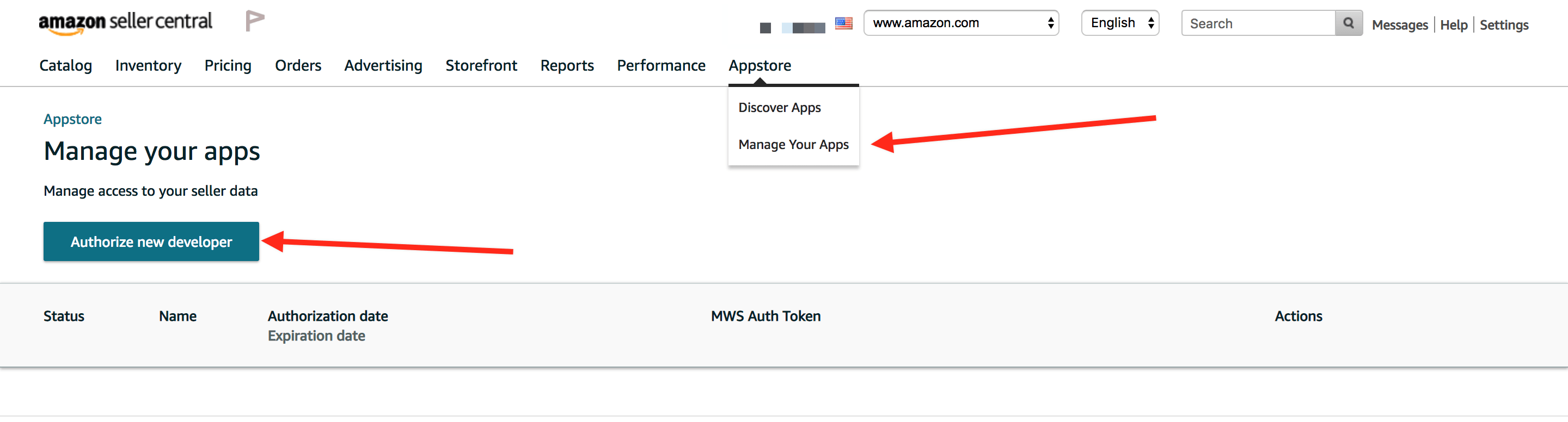
Make sure you configured your Amazon Seller account properly Log in to your Amazon Seller Central and proceed to Settings > User Permissions On the User Permissions view, click yellow button on the bottom – Authorize a Developer – like on the screenshot below:
If you can’t find the Authorize a Developer button according to the above screenshot, then Amazon may have upgraded you to a new design. In this case, please open App Store > Manage Your Apps in top navigation menu and choose Authorize New Developer there:
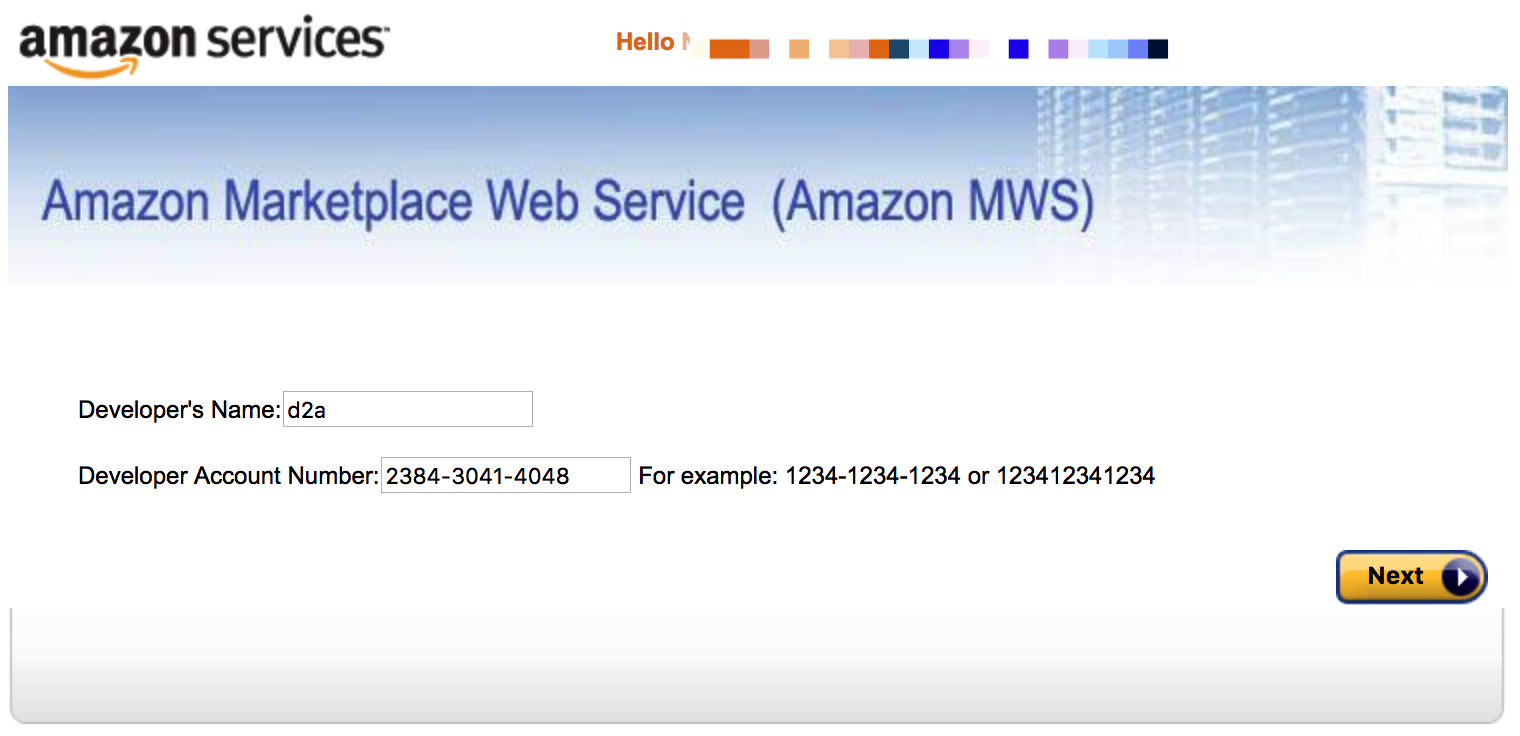
Enter the following fields values on the opened page, just like on the screenshot below:
- Developer’s Name – D2a (or any other meaningful name) Developer Account Number – 2384-3041-4048
IMPORTANT – please specify these exact values! These values identify our system and are required for configuring access to your Amazon account
Check “I agree” checkbox on the next page (confirming that you give us access to your account) and click Next On the next page you should see your Amazon MWS API credentials – don’t close the page, you’ll need than on step 9 Now log in to your Drop2amz account and navigate to Settings > Connected Accounts Click green Connect button next your Amazon account entry Specify your Seller Central email in the Amazon Email field, then copy and paste Amazon Seller >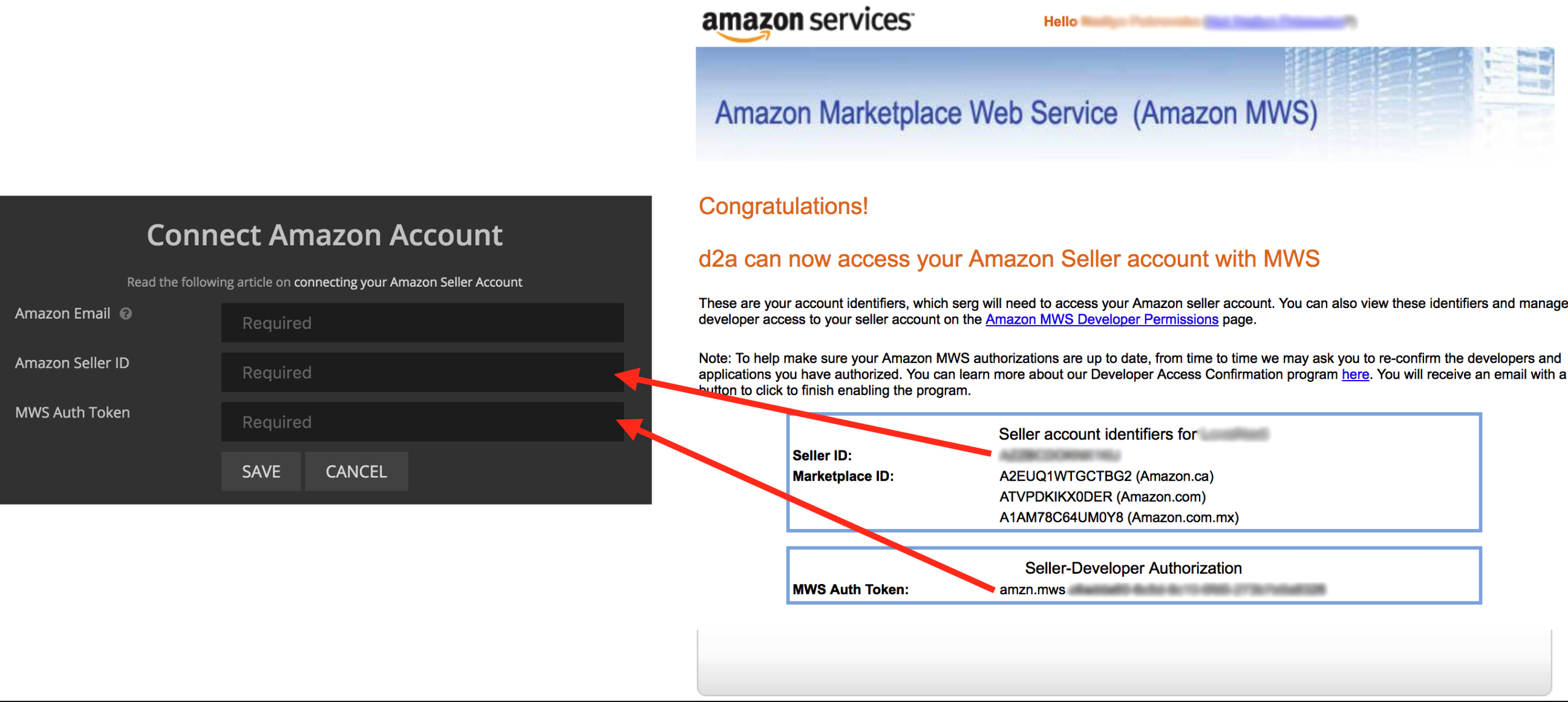
Click Save – you should see a successful confirmation message Check your email for “Enable MWS Developer Access Confirmation” email from Amazon
- Open the email and click Enable Developer Access Confirmation button If you already confirmed MWS Developer Access earlier – you can skip this step
If you get into trouble connecting your Amazon account, please let us know and we’ll help ASAP
Amazon Seller Support – Contact Info and Best Practices
Contacting Amazon Seller Support is inevitable as an Amazon Seller. When it comes to selling with Amazon or any other online platform, whether we like it or not, there will come a time that issue/s will come up and we would be needing help. Knowing how and where to get appropriate help really matters. Being able to deliver your concern or issue clearly to the right people will get you the right resolution at the shortest possible time.
So, if ever you encounter issues beyond your knowledge, be it about the listing, payments, customer orders, feedback and any other possible issues that may negatively affect your Amazon Seller Account, you can only turn to one Amazon Team, the Seller Support that is. But as we know, Amazon Seller Support has tons of sub-teams located all over the world. Knowing who to contact depending on your concern is a must to get the desired support that you need.
Below are some tips we have come up with for you to be able to get the best out of your contact with Amazon Seller Support whether be it via email, chat or phone.
Be sure to address each issue individually. Of course, you want to get the best resolution at the best possible time. But bombarding a Seller Support with all your issues all at once won’t help and it may even prolong the delivery of the resolution because of the following reasons: Your non-related issues might get mixed up and be neglected. Lumping several issues in one case may cause confusion Raise your concern/s over using the appropriate category in the Seller Central Support page. This is to ensure that the person whom you will be talking to is the right person with the right knowledge on the issue you are having. Moreover, doing this will also prevent your case from being bounced around from department to department which will surely delay your much-awaited resolution. Be clear and concise with your questions or concerns. You may sometimes find yourself to be unable to properly deliver your issue, so it would be better to take down notes before your actual contact with Seller Support. Give enough details about your concern. Giving Seller Support a clear picture of what’s going on or why you need help is the key to getting an appropriate answer to your question. Keep calm and patient. We do understand that at times you may face urgent issues and you badly need a resolution as it may negatively affect your account or your sales. But losing your cool during the contact with Seller Support won’t give you your much-desired answer. Bear in mind that if your case requires a specialist, you may be transferred accordingly and will have to wait. But you’d rather get the right answer even if it takes a bit, longer right? Fast resolution isn’t always the best.
You may also want to be ready with your account details should Seller Support require account validation or more information about your account to provide you support. Refer to the list below of what information you should have on hand.
Seller Name or Business Name Registered address Last four digits of bank account or credit card on file Order Details if you need help about a customer order or trying to resolve a dispute Notes about the issue you are having to ensure you provide seller support all the pertinent details they might need
How to get phone support?
FBA (Fulfillment by Amazon) department helpline is available 24 hours a day but calling between 9:00 am to 4:00 pm Central Time will let you get in touch with quality representatives.
The toll-free telephone number for general USA support related to complaints, billing issues, or account activity by following the prompts: 1-888-280-4331.
For sellers based in India, phone support option is unfortunately not an option.
Spanish Seller Support
For sellers located in a Spanish-speaking country, you can call the same helpline and request to be transferred to their Spanish-speaking team or they may also transfer you to the said them as soon as they hear the language.
How to get email support?
Log in to your Amazon Seller Central account. You may find the “Get Support” on any page and click on “Contact Us”.
Choose the appropriate category depending on your issue and choose “Email”.
Like phone support, email support are available 24/7.
Amazon Seller Central Help & Support
What Amazon Seller Central Triggers and Actions are Supported?
How to Get Started with Amazon Seller Central on Zapier
Popular Things To Do With Amazon Seller Central
Common Problems with Amazon Seller Central on Zapier
Amazon Seller Central Regions
What Amazon Seller Central Triggers and Actions are Supported?
Supported Triggers#
- New Order - Triggers when a new order is received.
Supported Searches#
Supported Actions#
How to Get Started with Amazon Seller Central on Zapier
To get started with Amazon Seller Central on Zapier, first you will need to click to connect your Amazon Seller Central account to use with your Zap.
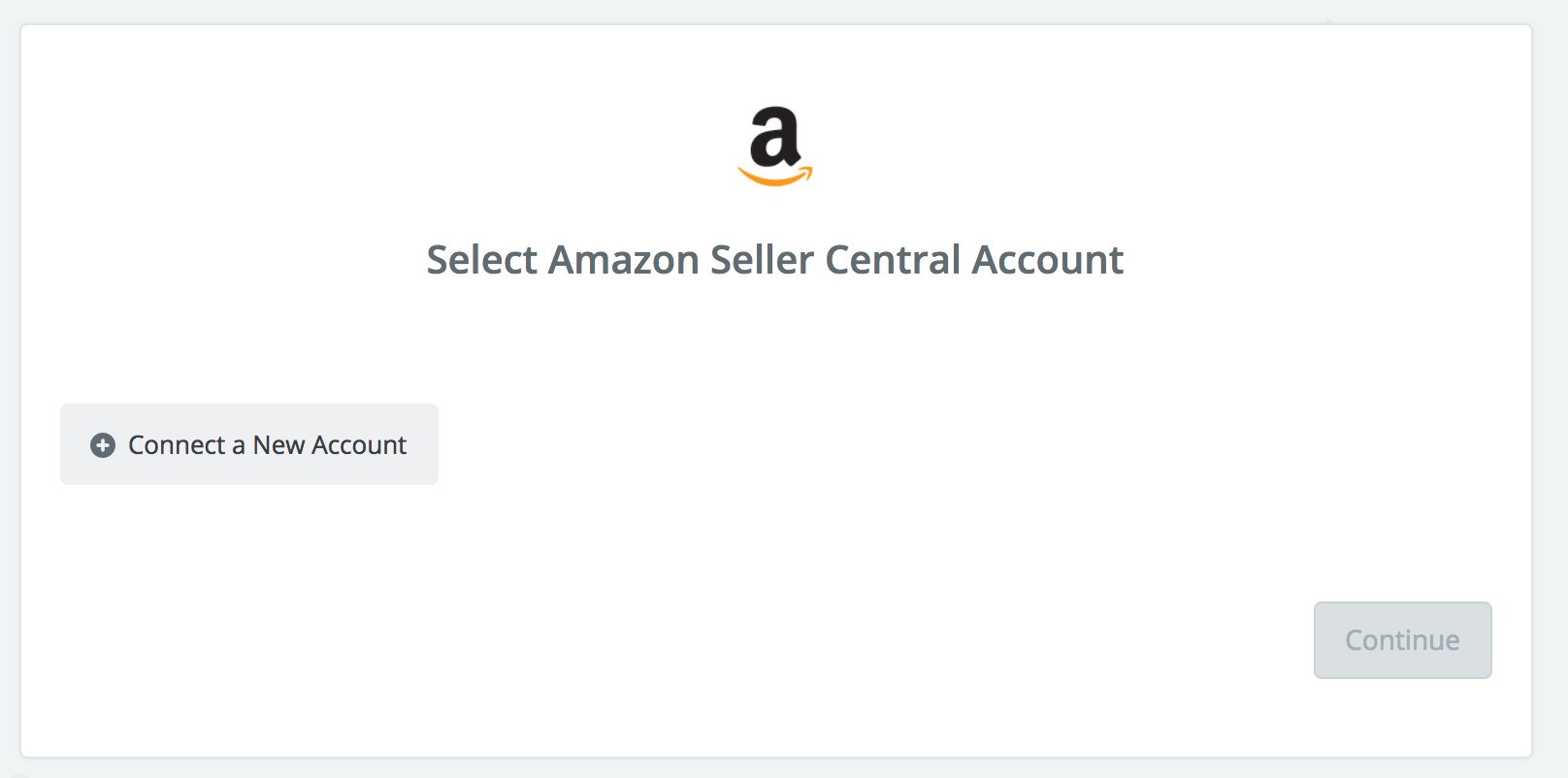
Next, you'll be asked to enter your Amazon Seller Central's API key.
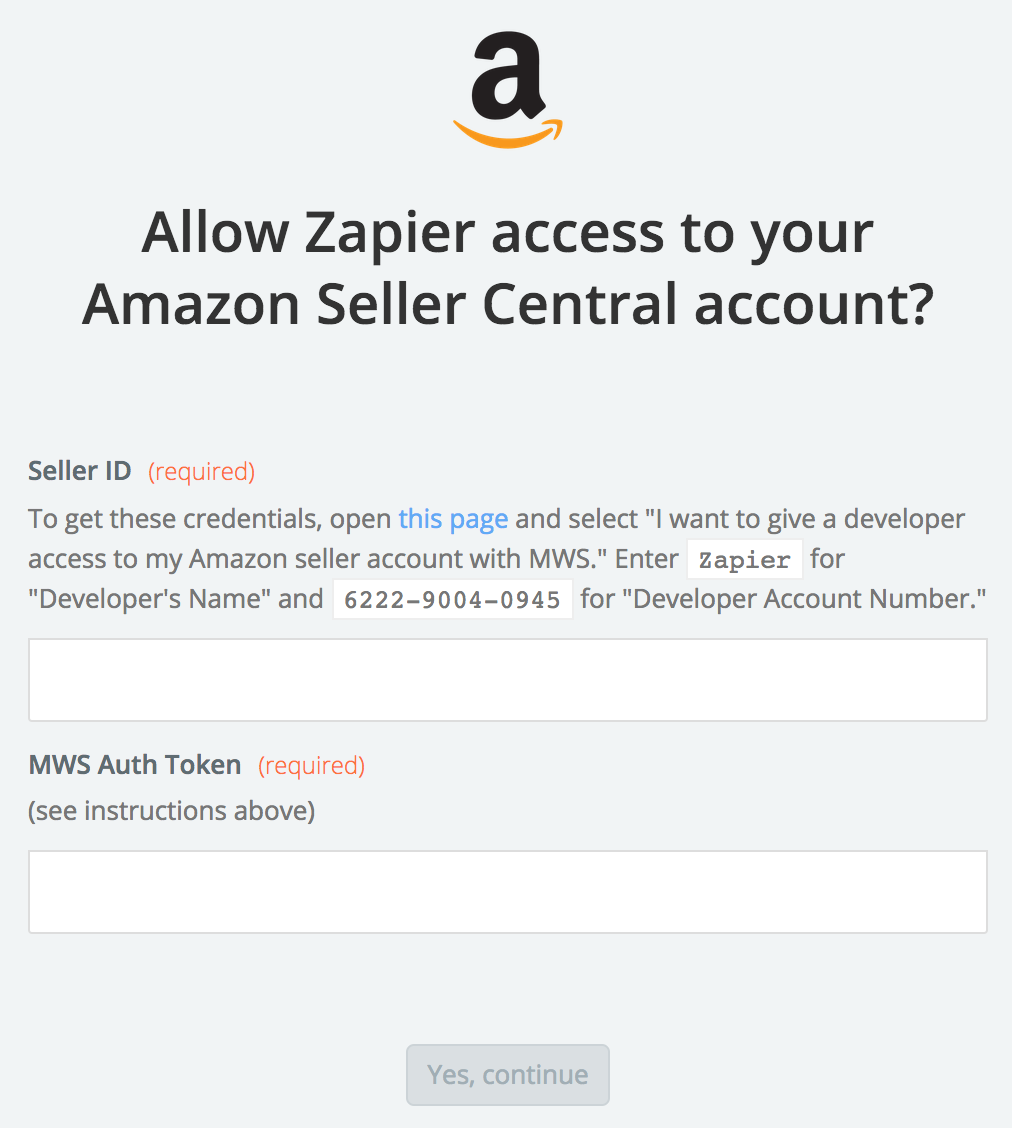
To locate your API Key in your Amazon Seller Central account, please follow these steps:
Log into your Amazon Seller Central account. Go to https://developer. amazonservices. com/gp/mws/registration/register. html Click the button next to "I want to give a developer access to my Amazon seller account with MWS." For the "Developer's Name" field, enter Zapier For the "Developer Account Number" field, enter 6222-9004-0945 Click "Next" Click the checkbox to confirm authorization and click "Next" Copy both your "Seller ID" and your "MWS Auth Token" and paste them into the authentication screen back in Zapier.
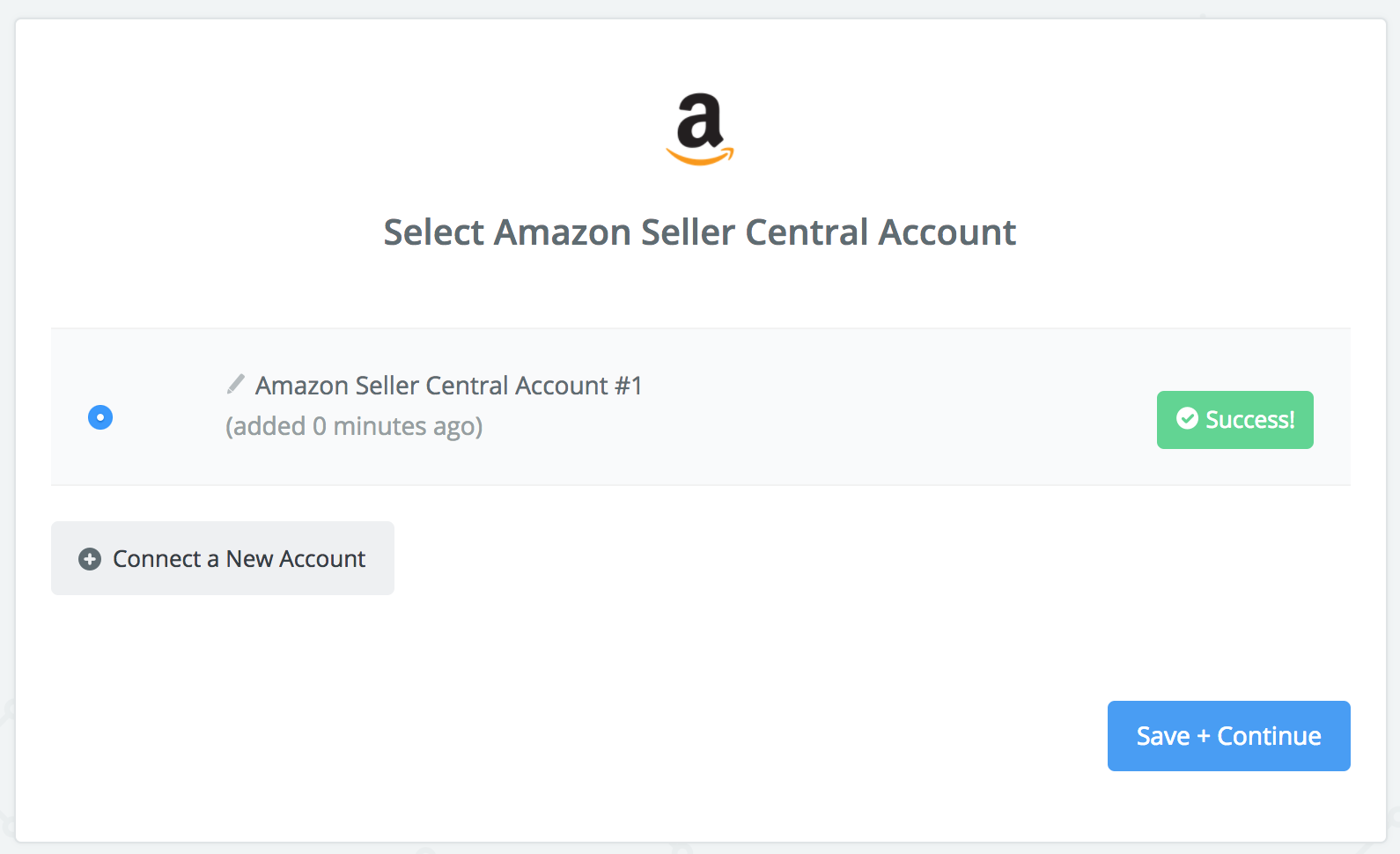
Paste your key back into your Zapier account and then “Continue”. If your API key was entered correctly your Amazon Seller Central account will now be successfully connected.
Popular Things To Do With Amazon Seller Central
Common Problems with Amazon Seller Central on Zapier
"New Order" Trigger is not triggering#
This can happen sometimes if the trigger field for "Order Status" is set to "Unshipped".

If you receive a new Unshipped order and its status changes to Shipped before Zapier has had time to poll for new Unshipped orders, we'll miss it.
To fix this, you'll need to wait 5 or 15 minutes (depending on your Zapier plan's polling interval) after a new order has been marked as Unshipped before the order status can be changed to anything else.
Another fix here would be to change the "Order Status" trigger field to "Shipped" in your Zap. Assuming that this fits your workflow, the Shipped status is going to be more reliable since it is not a temporary status like Unshipped.
Amazon Seller Central Regions
This integration only works with accounts/instances within the North America region.
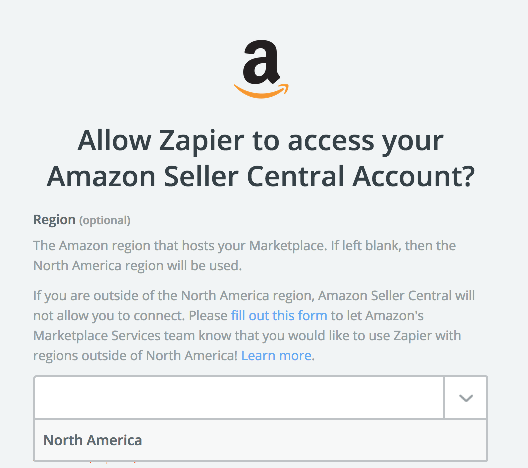
If you are outside of the North America region, Amazon Seller Central will not allow you to connect. Please fill out this form to let Amazon's Marketplace Services team know that you would like to use Zapier with regions outside of North America!
Currently, Amazon's policies only allow API access within the region for which a company is registered, and Zapier is registered in North America. It is impossible for Zapier to become registered in the other international regions, due the information that Amazon requires in those regions. For example, their UK region requires bank account information, and their India region requires a VAT and CST number
Please help let Amazon Marketplace Services know that Amazon needs to enable "API-only" access across all their regions.
Need More Help? - Our support team is happy to help -- send us a message


Комментариев нет